


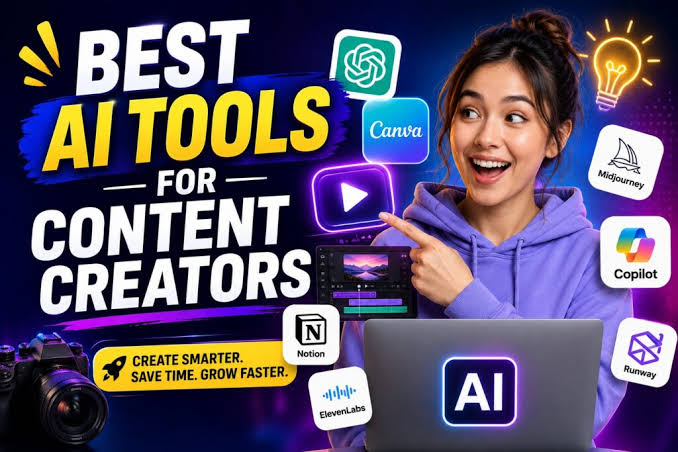
Meta Description
Discover the best AI tools for YouTubers for Mac users to edit videos, write scripts, create thumbnails, improve audio, generate captions, and streamline content production.
Introduction
Creating a successful YouTube channel on a Mac is easier than it used to be, but producing consistently polished videos still takes time. A single upload can involve researching ideas, writing a script, recording footage, editing clips, cleaning audio, creating captions, designing a thumbnail, and optimizing the final video for discovery. For creators who publish regularly, those tasks can quickly become a full production workflow. To explore more powerful video creation platforms, check out our guide to the Best AI Video Generators for Beginners.

The best AI tools for YouTubers for Mac users are designed to reduce that workload without replacing creative control. The most useful platforms can help with repetitive editing tasks, script development, audio enhancement, thumbnail creation, transcription, and workflow automation. The goal is not to let software run an entire channel. It is to spend less time on routine production work and more time improving ideas, storytelling, and audience engagement.
Mac users also have a strong advantage because many modern AI tools are browser-based or available as polished macOS applications. That means a creator can combine native software with cloud-based AI services without building an overly complicated workflow.
The tools in this guide were selected for practical YouTube production rather than for novelty. Each one solves a specific problem that creators regularly face. Some are better for long-form editing, while others are more useful for thumbnails, scripts, captions, audio, or channel optimization.
If you are building a creator workflow around macOS, these are the best AI tools for YouTubers for Mac users worth considering in 2026.
Quick Answer: What Are the Best AI Tools for YouTubers for Mac Users?
For most creators, the strongest combination is:
- Descript — Best for AI-assisted editing and transcription
- Adobe Premiere Pro — Best for professional AI-powered video editing
- Final Cut Pro — Best for creators who prefer the Apple ecosystem
- ChatGPT — Best for brainstorming, scripts, and production planning
- Canva — Best for thumbnails and channel graphics
- Adobe Podcast — Best for improving spoken audio
- OpusClip — Best for turning long videos into short clips
- vidIQ — Best for YouTube topic and channel research
- TubeBuddy — Best for workflow and channel optimization
The right choice depends on where your current production process takes the most time.
How We Selected the Best AI Tools for YouTubers for Mac Users
Choosing AI software for a YouTube workflow requires more than comparing feature lists. A tool can look impressive on paper and still create unnecessary friction during actual production.
For this guide, the best AI tools for YouTubers for Mac users were evaluated based on several practical factors:
Mac Compatibility
Every recommended platform should work reliably through macOS software, a modern web browser, or both. A creator should not need a complicated workaround just to access essential features. You can also read our detailed comparison of the Best AI Transcription Tools in 2026 to find faster ways to create accurate video transcripts.
Real YouTube Value
The tools needed to solve genuine production problems. That includes editing, scripting, transcription, captioning, audio cleanup, thumbnail creation, research, and repurposing.
AI Features That Save Time
Artificial intelligence is useful when it reduces repetitive work. Automated transcription, silence removal, clip detection, audio enhancement, content suggestions, and intelligent editing were more valuable than gimmicky features.
Ease of Use
A solo creator does not always have time to learn professional production software from scratch. Tools that offer a shorter learning curve can be especially valuable for new and growing channels.
Output Quality
Automation should not noticeably reduce production quality. The best tools allow creators to review, customize, and control the final result.
These criteria helped identify the best AI tools for YouTubers for Mac users across different stages of the content production process.
Best AI Tools for YouTubers for Mac Users: Top Picks
1. Descript — Best for AI-Powered Video Editing
Why We Picked It
Descript approaches video editing differently from traditional timeline-based applications. After importing a recording, the software generates a transcript that can become part of the editing workflow. Creators can edit sections through the transcript while also working with the video and audio.
That approach can be especially useful for talking-head videos, interviews, tutorials, podcasts, and educational content. Instead of manually searching through a long timeline to locate a sentence, creators can navigate through the spoken content.
Descript also includes AI-assisted features that can help streamline common production tasks. These capabilities can reduce the time spent removing filler words, identifying pauses, generating captions, and preparing content for publication.
For creators who spend a significant amount of time editing speech-heavy videos, Descript is one of the strongest entries among the best AI tools for YouTubers for Mac users.
Who It’s For
Descript is ideal for:
- Podcast creators
- Educational YouTubers
- Interview channels
- Tutorial creators
- Talking-head video producers
Key Features
AI Transcription
Automatically converts spoken content into editable text.
Text-Based Editing
Allows creators to work with the transcript as part of the editing process.
Caption Generation
Helps speed up subtitle and caption creation.
Audio and Video Workflow Tools
Useful for creators who regularly work with voice-driven content.
Pros
- Excellent for spoken-content editing
- Beginner-friendly workflow
- Useful transcription tools
- Helps speed up repetitive editing tasks
Cons
- May not replace a full professional editor for complex productions
- Advanced workflows can require additional learning
Official Resource
Learn more through Descript’s official website.
2. Adobe Premiere Pro — Best for Professional Video Production
Why We Picked It
Adobe Premiere Pro remains one of the strongest choices for creators who want a professional editing environment combined with AI-assisted tools. It is designed for more complex video production and offers the depth required for multi-camera projects, detailed timelines, color work, audio adjustments, and professional exports.
Adobe has increasingly integrated AI and intelligent assistance into its creative workflow. Features that help with transcription, media organization, dialogue work, and editing efficiency can be particularly useful for YouTubers producing content at scale. For better content planning and topic research, explore our list of the Best Free AI Research Tools in 2026.
Premiere Pro is not the simplest option in this list. Beginners may find the interface more demanding than lightweight AI editors. However, creators who are serious about improving production quality may appreciate the flexibility.
Among the best AI tools for YouTubers for Mac users, Premiere Pro is particularly well suited to channels that need a traditional professional editing workflow rather than an automated, simplified experience.
Who It’s For
- Professional YouTubers
- Documentary creators
- Technology channels
- Multi-camera productions
- Creators working with complex timelines
Specs and Configurations
Premiere Pro is available for macOS through Adobe’s Creative Cloud ecosystem. Performance depends heavily on Mac hardware, available memory, storage speed, media resolution, and the complexity of the project.
Creators editing high-resolution footage should pay particular attention to available RAM and fast SSD storage.
Pros
- Professional editing environment
- Extensive creative control
- Strong integration with other Adobe tools
- Suitable for advanced YouTube productions
Cons
- Subscription-based pricing
- Steeper learning curve
Official Resource

3. Final Cut Pro — Best for Apple-Focused YouTube Creators
Why We Picked It
Final Cut Pro is one of the most natural choices for creators who want their editing environment centered around macOS. The software is built for Apple’s ecosystem and is designed to take advantage of Mac hardware and Apple silicon.
For YouTubers, speed matters. A responsive editing environment can make a noticeable difference when working through regular uploads, especially when dealing with large video files.
Final Cut Pro offers professional editing capabilities while maintaining a workflow that many Mac users find more streamlined than traditional editing platforms. Intelligent tools can assist with organization and production efficiency, while the editor still gives creators direct control over the final result.
The software is particularly attractive for creators who already use Apple hardware for recording, editing, and publishing.
For an Apple-centered production setup, Final Cut Pro deserves a place among the best AI tools for YouTubers for Mac users.
Who It’s For
- MacBook Pro users
- Mac Studio users
- Apple ecosystem creators
- Professional video editors
- YouTubers publishing high-resolution content
Key Features
Magnetic Timeline
Offers an alternative approach to timeline editing.
Apple Silicon Optimization
Designed to work efficiently with modern Mac hardware.
Professional Video Tools
Supports advanced editing, effects, color work, and production workflows.
Pros
- Excellent macOS integration
- Strong performance on Apple hardware
- Professional editing features
- One-time purchase model rather than a standard monthly subscription
Cons
- Available only on Apple platforms
- Workflow may feel unfamiliar to editors coming from Premiere Pro
Official Resource
4. ChatGPT — Best for YouTube Scripts and Content Ideas
Why We Picked It
Before a creator records a video, the production process usually starts with an idea. Researching that idea, organizing information, creating an outline, writing a script, and preparing titles can consume hours.
ChatGPT can help organize those early production stages. It can assist with brainstorming video angles, generating outlines, improving script structure, suggesting questions, simplifying explanations, and creating production checklists.
The most effective use of AI writing tools is not simply copying generated text directly into a video. Instead, creators should use the output as a starting point and then add personal expertise, experience, opinions, examples, and a recognizable voice.
That approach can make ChatGPT one of the most flexible tools in a creator’s workflow.
For research-heavy channels, tutorial channels, technology creators, and educational YouTubers, it is one of the best AI tools for YouTubers for Mac users for pre-production work.
Who It’s For
- Educational channels
- Technology YouTubers
- Tutorial creators
- Small production teams
- Solo creators planning frequent uploads
Best Uses
Video Idea Development
Explore multiple angles before selecting a final topic.
Script Outlining
Build a clear introduction, main points, transitions, and conclusion.
Title Brainstorming
Generate multiple headline directions that can later be refined for accuracy and audience relevance.
Production Planning
Create checklists for recording, editing, and publishing.
Pros
- Flexible for many content tasks
- Useful during pre-production
- Can speed up brainstorming
- Works easily through a web browser on Mac
Cons
- Output requires fact-checking
- Generic prompts can produce generic content
- Should not replace original expertise
Official Resource
5. Canva — Best for YouTube Thumbnails and Graphics
Why We Picked It
A strong thumbnail can influence whether a potential viewer decides to explore a video. Creating consistent visual branding, however, can become another time-consuming part of the YouTube workflow.
Canva makes that process more approachable for creators who are not professional graphic designers. Its templates, editing tools, design elements, and AI-assisted features can help speed up thumbnail creation.
The biggest advantage is convenience. A YouTuber can create thumbnails, channel banners, social media graphics, presentation visuals, and promotional assets within one environment.
AI tools can help accelerate the initial design process, but successful thumbnails still depend on human judgment. Text must remain readable, the subject should be clear, and the visual should accurately represent the video’s content. If you want to improve your YouTube content strategy, our guide to the Best AI SEO Tools for Small Businesses offers several useful options.
For creators who need faster visual production, Canva is one of the best AI tools for YouTubers for Mac users.
Who It’s For
- Beginner YouTubers
- Solo creators
- Small teams
- Channels without a dedicated designer
Key Features
AI-Assisted Design
Helps generate and refine visual concepts.
Thumbnail Templates
Provides a starting point for common YouTube formats.
Background and Image Tools
Useful for preparing cleaner visual compositions.
Brand Consistency
Helps creators reuse fonts, logos, and visual styles.
Pros
- Easy to learn
- Browser-based and Mac-friendly
- Useful beyond YouTube thumbnails
- Suitable for fast design workflows
Cons
- Advanced designers may need more specialized software
- Template-based designs require customization to stand out
Official Resource

6. Adobe Podcast — Best for Cleaning Up Spoken Audio
Why We Picked It
Poor audio can distract viewers even when the video itself looks professional. Room noise, inconsistent microphone quality, and unclear speech are common problems for creators recording at home or in less-than-ideal environments.
Adobe Podcast offers tools designed to improve spoken audio. For YouTubers producing interviews, commentary, tutorials, podcasts, and talking-head videos, AI-assisted audio enhancement can reduce the time spent manually cleaning recordings.
The strongest use case is speech. Creators should still review the final audio because aggressive processing can sometimes affect the natural sound of a voice.
Used carefully, Adobe Podcast can be a valuable addition to a Mac-based creator workflow.
Who It’s For
- Podcast channels
- Commentary creators
- Tutorial channels
- Interview creators
- Talking-head YouTubers
Key Features
Speech Enhancement
Helps improve the clarity of spoken recordings.
Browser-Based Workflow
Can be accessed without building an entirely new desktop editing setup.
Faster Audio Cleanup
Useful when processing multiple recordings.
Pros
- Simple workflow
- Useful for spoken content
- Can save significant cleanup time
Cons
- Not designed to replace a complete professional audio workstation
- Results should always be reviewed
Official Resource
7. OpusClip — Best for Turning Long Videos Into Shorts
Why We Picked It
Long-form YouTube videos can contain multiple moments that work independently as short-form content. Finding those moments manually requires reviewing footage, selecting clips, resizing the frame, adding captions, and exporting multiple versions.
OpusClip is designed to automate parts of that repurposing process. It can help creators identify potential short clips from longer videos and prepare them for short-form distribution.
This is especially useful for podcast creators, interview channels, educators, and creators who want to extend the value of a single recording.
For creators building both long-form and short-form strategies, it is one of the best AI tools for YouTubers for Mac users.
Who It’s For
- Podcast creators
- Interview channels
- Educational YouTubers
- Creators publishing YouTube Shorts
Pros
- Saves time when repurposing content
- Useful for extracting short-form clips
- Browser-based workflow
Cons
- Automated selections still require human review
- Not every detected clip will match a creator’s style
Official Resource
8. vidIQ — Best for YouTube Research and Content Planning
Why We Picked It
Choosing the right video topic can have as much impact as the editing process. A technically excellent video may still struggle if the subject does not match audience interest or channel strategy.
vidIQ is built around YouTube-focused research and channel tools. It can help creators explore topics, keywords, trends, and content opportunities. Creators interested in AI-powered audio production can also discover the Best AI Music Generators in 2026.
The best way to use this type of software is as a research assistant rather than as an automatic decision-maker. Metrics can provide useful direction, but creators should also understand their audience and niche.
For topic research and planning, vidIQ is a practical addition to the best AI tools for YouTubers for Mac users.
Who It’s For
- Growing YouTube channels
- SEO-focused creators
- New YouTubers
- Channels looking for topic ideas
Pros
- Designed specifically for YouTube
- Helpful for topic discovery
- Can support channel planning
Cons
- Data should not replace creative judgment
- Some advanced features may require a paid plan
Official Resource
9. TubeBuddy — Best for YouTube Workflow Optimization
Why We Picked It
TubeBuddy focuses on helping creators manage and optimize parts of the YouTube publishing workflow. For channels with a growing content library, repetitive management tasks can become increasingly time-consuming.
The platform provides tools related to channel management, optimization, and workflow efficiency. It can be useful for creators who want additional assistance when organizing publishing tasks and improving consistency.
TubeBuddy works best when paired with a clear content strategy rather than being used as a shortcut for growth.
For creators looking to streamline channel operations, it remains one of the best AI tools for YouTubers for Mac users.
Who It’s For
- Growing channels
- SEO-conscious creators
- Channels with a large video library
- Creators managing regular publishing schedules
Pros
- YouTube-focused toolset
- Helpful for workflow management
- Useful for optimization tasks
Cons
- Some features may not be necessary for small channels
- Recommendations should be evaluated individually
Official Resource

Best AI Tools for YouTubers for Mac Users: Comparison
| Tool | Best For | Mac Compatibility | AI Role |
| Descript | Text-based video editing | macOS/Web | Editing and transcription |
| Adobe Premiere Pro | Professional editing | macOS | Production assistance |
| Final Cut Pro | Apple-focused editing | macOS | Intelligent editing workflow |
| ChatGPT | Scripts and ideas | Web/App | Writing and planning |
| Canva | Thumbnails and graphics | Web/App | Design assistance |
| Adobe Podcast | Spoken audio | Web | Audio enhancement |
| OpusClip | YouTube Shorts | Web | Clip repurposing |
| vidIQ | Topic research | Web/Extension | Content research |
| TubeBuddy | Channel workflow | Web/Extension | Optimization assistance |
The best setup does not necessarily require every platform listed here. A beginner might start with ChatGPT, Canva, and one editing tool. A professional channel may combine Premiere Pro or Final Cut Pro with Descript, Adobe Podcast, and YouTube-specific research software.
How to Build a Mac AI Workflow for YouTube
A simple workflow can look like this:
Step 1: Research the Topic
Use ChatGPT and a YouTube research platform to organize potential video ideas.
Step 2: Create the Video Structure
Develop an original outline, including the hook, key sections, examples, and conclusion.
Step 3: Record the Video
Use a Mac-based recording setup that matches your production style.
Step 4: Improve the Audio
Process spoken recordings with Adobe Podcast or another suitable audio workflow.
Step 5: Edit the Video
Use Descript for speech-heavy content or Final Cut Pro and Premiere Pro for more advanced productions.
Step 6: Create the Thumbnail
Design a clear, original thumbnail in Canva.
Step 7: Repurpose Strong Moments
Use OpusClip to identify potential short-form clips, then review and edit the results before publishing.
This workflow demonstrates why the best AI tools for YouTubers for Mac users are most effective when each tool has a clearly defined role.
Pros and Cons of Using AI Tools for YouTube Production
Pros
Faster Production
AI can reduce the time required for transcription, captioning, audio cleanup, and repetitive editing.
Better Workflow Efficiency
Creators can focus more attention on ideas and storytelling.
Easier Content Repurposing
Long-form content can be adapted into shorter formats more efficiently.
More Accessible Production Tools
Creators without advanced editing or design experience can produce better-looking content.
Cons
AI Can Make Mistakes
Generated scripts, captions, research summaries, and automated edits should always be reviewed.
Over-Automation Can Reduce Originality
Publishing AI-generated material without personal editing can make a channel feel generic.
Quality Still Depends on the Creator
AI cannot replace a strong idea, clear storytelling, or genuine expertise.
Specs and Configurations for Mac YouTube Creators
The ideal Mac configuration depends on the type of content you produce.
For basic talking-head videos, tutorials, and standard 1080p editing, a modern Apple silicon Mac with sufficient memory and SSD storage can provide a strong foundation.
For demanding 4K, multi-camera, visual effects, or professional production, creators should prioritize:
- A newer Apple silicon processor
- Adequate unified memory
- Fast internal or external SSD storage
- Reliable backup storage
- A high-quality microphone
- A color-accurate display when advanced visual work is required
Software matters, but the overall workflow is equally important. Fast storage, organized media, reliable backups, and a consistent recording process can improve production efficiency as much as AI features.

Frequently Asked Questions
What is the best AI video editor for Mac YouTubers?
Descript is an excellent choice for transcript-based and speech-heavy editing, while Adobe Premiere Pro and Final Cut Pro are better suited to creators who need advanced professional editing tools.
Are AI tools useful for beginner YouTubers?
Yes. Beginner creators can benefit from AI-assisted script planning, caption generation, audio enhancement, thumbnail design, and editing support. However, it is better to start with a small number of tools rather than building an unnecessarily complex workflow.
Can AI create an entire YouTube video?
AI can assist with multiple stages of production, but creators should maintain control over accuracy, originality, editing decisions, and the final message. Human review remains essential.
Is Final Cut Pro good for YouTube?
Yes. Final Cut Pro is a strong option for creators using Mac hardware and looking for a professional editing environment integrated with Apple’s ecosystem.
What AI tool is best for YouTube thumbnails?
Canva is one of the easiest options for beginners and small teams. It provides templates, design tools, and AI-assisted features that can speed up thumbnail production.
Do YouTubers need multiple AI tools?
Not necessarily. Most creators only need tools that solve specific workflow problems. For example, one editing tool, one writing or planning tool, and one thumbnail platform may be enough.
Are browser-based AI tools good for Mac users?
Yes. Many of the best AI tools for YouTubers for Mac users work directly in modern browsers, making them accessible without requiring complex software installations.
Internal Link Opportunities
You can naturally add relevant Blogyros articles using anchor text such as:
- Learn more about the best AI video generators for beginners
- Explore our guide to the best AI transcription tools in 2026
- See our comparison of the best AI music generators
- Read our guide to the best AI research tools
- Discover the best AI SEO tools for small businesses
- Check our recommendations for the best AI tools for content creators
Example internal link format:
<a href="YOUR-BLOGYROS-ARTICLE-URL">best AI video generators for beginners</a>
Replace YOUR-BLOGYROS-ARTICLE-URL with the exact URL of the relevant article published on your website.
Recommended External Resources
For official product information, feature updates, documentation, and pricing, link directly to the official websites of:
- Descript
- Adobe Premiere Pro
- Apple Final Cut Pro
- ChatGPT
- Canva
- Adobe Podcast
- OpusClip
- vidIQ
- TubeBuddy
Where appropriate, these external links can be standard followed links. Before publishing, verify that your WordPress editor or SEO plugin has not automatically applied nofollow, sponsored, or ugc attributes to links that you intend to keep as normal editorial outbound links.
The Best AI Tools for YouTubers for Mac Users can simplify video production by helping creators with scripting, editing, audio enhancement, and content planning. Choosing the Best AI Tools for YouTubers for Mac Users allows creators to spend less time on repetitive tasks and more time developing original content. From AI-powered video editing to automatic transcription, the Best AI Tools for YouTubers for Mac Users can improve almost every stage of a modern YouTube workflow. The Best AI Tools for YouTubers for Mac Users are especially useful for solo creators who need to manage research, recording, editing, and publishing efficiently.
With the Best AI Tools for YouTubers for Mac Users, creating YouTube scripts, captions, thumbnails, and short-form clips becomes faster and easier. Many of the Best AI Tools for YouTubers for Mac Users work through macOS applications or web-based platforms, making them easy to integrate into an existing workflow. The right Best AI Tools for YouTubers for Mac Users can help creators improve production quality without adding unnecessary complexity to their editing process. Whether you create tutorials, podcasts, reviews, or vlogs, the Best AI Tools for YouTubers for Mac Users can help streamline the most time-consuming parts of content creation.
The Best AI Tools for YouTubers for Mac Users are most effective when each platform is used for a specific task, such as editing, scripting, audio cleanup, or channel optimization. By combining creativity with the Best AI Tools for YouTubers for Mac Users, content creators can build a faster, more organized, and more consistent YouTube production workflow.
The Best AI Tools for YouTubers for Mac Users can help creators organize every stage of video production, from the first idea to the final upload. Using the Best AI Tools for YouTubers for Mac Users can make it easier to create captions, improve audio quality, and edit long recordings more efficiently. The Best AI Tools for YouTubers for Mac Users are ideal for creators who want to maintain a consistent publishing schedule without spending unnecessary hours on repetitive work. Mac-based creators can use the Best AI Tools for YouTubers for Mac Users to transform long-form videos into engaging YouTube Shorts and other short-form content.
With the Best AI Tools for YouTubers for Mac Users, YouTubers can develop stronger video ideas, organize scripts, and prepare content before recording begins. The Best AI Tools for YouTubers for Mac Users can support both beginners and experienced creators by simplifying complex editing and production tasks. Many of the Best AI Tools for YouTubers for Mac Users combine browser-based convenience with powerful features for video editing, transcription, design, and optimization.
Finding the Best AI Tools for YouTubers for Mac Users can help creators build a more efficient workflow without sacrificing their personal style or creative control. The Best AI Tools for YouTubers for Mac Users are particularly valuable for creators producing tutorials, podcasts, reviews, educational videos, and talking-head content. By selecting the Best AI Tools for YouTubers for Mac Users for specific production tasks, creators can build a faster and more organized YouTube workflow.
The Best AI Tools for YouTubers for Mac Users can help creators produce high-quality videos while reducing the time spent on repetitive production tasks. Exploring the Best AI Tools for YouTubers for Mac Users is a smart way to improve scripting, editing, thumbnail design, and overall channel productivity. The right Best AI Tools for YouTubers for Mac Users can give creators more time to focus on storytelling, audience engagement, and long-term channel growth.
Conclusion
The best AI tools for YouTubers for Mac users are not necessarily the platforms with the largest number of automated features. The most valuable tools are the ones that remove friction from your existing production process.
Descript is an excellent choice for transcript-driven editing. Adobe Premiere Pro offers a powerful professional environment, while Final Cut Pro is particularly compelling for creators who want a workflow closely integrated with macOS and Apple silicon. ChatGPT can help organize ideas and scripts, Canva simplifies thumbnail production, Adobe Podcast improves spoken audio, and OpusClip can accelerate short-form repurposing.
The smartest approach is to identify the slowest part of your workflow and choose a tool that specifically improves it. A creator who struggles with editing does not need another AI writing assistant. Someone who spends hours cleaning audio may benefit more from an audio enhancement tool than from another video editor.
Ultimately, the best AI tools for YouTubers for Mac users should make production faster while keeping creative decisions in the hands of the creator. AI works best as an assistant behind the scenes—not as a replacement for original ideas, personal experience, or a distinctive YouTube voice.

